connex_hero_homepage_compressed

If your controller spends every month reconciling foreign currency transactions by hand, your accounting process won't scale. A customer pays in one currency and your books run in another, and if that conversion is wrong, your income statement is wrong too, along with the taxes and inventory numbers built on top of it.

Connex automates the workflow that syncs every international sale to QuickBooks at the correct exchange rate, matched to the right accounts receivable, so international orders reconcile the same way domestic ones do.

How Connex Solves It

 
Connex syncs each transaction using the exchange rate supplied by the source system or accounting platform at the time of the sale. Exactly how that rate is captured varies by QuickBooks version and source system, and we'll confirm the specifics for your setup during scoping.

This works across Shopify, Amazon, and WooCommerce, and with both QuickBooks Online and Enterprise.

This fits sellers running more than one currency or country, selling through international channels, or running QuickBooks Canada or QuickBooks UK.
image-png-Jun-29-2026-12-56-38-5876-PM

Exchange Rate Accuracy

A sale needs to reflect the exchange rate that was actually in effect when it happened, not an average or an end of month estimate. Connex applies the rate supplied by your source system at the time of the transaction, so your revenue numbers reflect what actually happened rather than an approximation.
FREQUENTLY ASKED QUESTION
 
Does Connex use the exchange rate from the day of the sale?
 
In most setups, yes. Each transaction is mapped to the rate your source system reports for that sale, rather than an averaged or delayed rate. The exact behavior can vary by QuickBooks version, and we'll confirm how it works for your configuration before you commit to anything.
FREQUENTLY ASKED QUESTION
 
How does Connex handle QuickBooks' one currency per customer rule?
 
Connex maps transactions to the correct A/R account by currency, working within QuickBooks' structure without requiring duplicate customer records.

A/R Account by Currency

QuickBooks assigns one currency per customer, which becomes a problem the moment a business sells in more than one. Connex maps each transaction to the correct accounts receivable account for its currency, so the constraint doesn't force a workaround or a separate customer record for every currency.

QuickBooks Global

Running QuickBooks Global brings its own currency and tax structure. Connex is built to work within those versions directly, rather than treating them as an edge case bolted onto the U.S. product.

FREQUENTLY ASKED QUESTION
 
Does Connex support QuickBooks Global?
 
Yes, QuickBooks Global is supported directly, with currency and regional mapping.
FREQUENTLY ASKED QUESTION
 
Can Connex handle multicurrency sales from Shopify and Amazon?
 
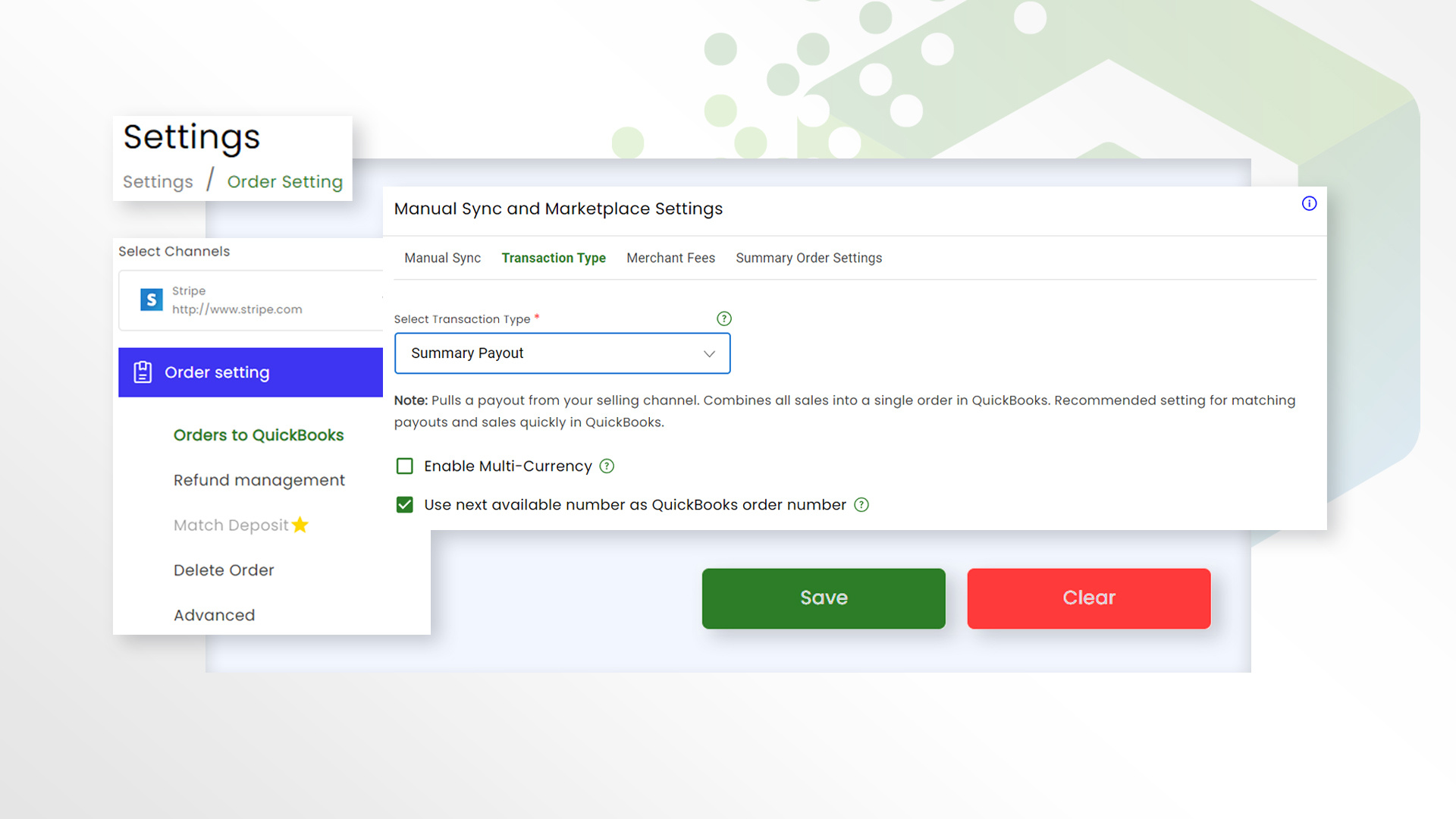
Yes. Each sale syncs to QuickBooks in the seller's home currency, converted at the correct rate regardless of what currency the customer paid in.

Shopify and Amazon Multicurrency

Shopify and Amazon both support multiple storefront currencies, and each sale needs to land in QuickBooks correctly converted. Connex syncs those multicurrency sales automatically, whichever currency the customer actually paid in.

Find a story that matches your workflow

streamlinelug
Multi-currency accounting

How Steamline Luggage Automated Multi-Currency Accounting Across 23 Countries

Steamline Luggage is a luxury luggage brand selling internationally through Shopify, requiring accurate VAT, multi-currency accounting, and automated QuickBooks Online workflows across global markets.

View case study
Herbal_Magic_Logo
Sales tax and order workflow

How Herbal Magic Automated 120+ Custom Shopify & QuickBooks Workflows

Herbal Magic is a Canadian health and wellness company selling nutritional supplements through Shopify, requiring complex tax mappings, sales commission tracking, inventory logic, and custom QuickBooks workflows to automate accounting across Canada and the U.S.

View case study

Why Basic ShipStation Connectors Break Down for Complex Fulfillment

Capability Capability Basic ShipStation Connector Connex
No onboarding Set Up Approach Self-Service Guided implementation with ecommerce specialists
Mostly one-way data movement Data Movement Mostly one-way data movement Two-way order, inventory & fulfillment workflows
Technical Support Technical Support Generic Troubleshooting Support for your specific fulfillment and accounting workflow
Rigid field mappings Workflow flexibility Rigid field mappings Conditional rules & custom field mapping
Partial Shipments Partial Shipments May require manual clean-up Configured to update QuickBooks as fulfillment occurs
Onboarding Onboarding Documentation or DIY setup Workflow assessment, configuration, testing, and launch support
Best For Best For Built for simple A → B syncing Built for complex, multi-system workflows

Frequently Asked Questions

Does Connex provide onboarding for ShipStation and QuickBooks?
Yes. Connex provides guided implementation for ShipStation and QuickBooks workflows. An ecommerce integration specialist helps assess your requirements, configure the workflow, test exceptions, and prepare your team for launch.
Who configures the ShipStation and QuickBooks workflow?
Connex ecommerce integration specialists help configure the ShipStation and QuickBooks workflow with your team. This can include document mappings, warehouse and 3PL routing, partial-shipment logic, invoicing behavior, tracking updates, and exception handling.
What happens if our workflow has exceptions or changes after launch?
Connex provides technical support after launch to help address workflow changes and exceptions. If your fulfillment process, warehouse setup, 3PL relationship, order-routing rules, or QuickBooks requirements change, the Connex team can help update the integration.
Do we have to configure the ShipStation and QuickBooks integration ourselves?
No. Connex is designed for businesses that need help configuring complex fulfillment and accounting workflows. Our team works with you to set up mappings, routing rules, partial-shipment logic, invoicing behavior, and tracking updates instead of leaving your team to build the workflow alone.
What technical support does Connex provide after launch?
Connex provides technical support for the ShipStation and QuickBooks workflow after implementation. If your fulfillment process, warehouse setup, 3PL relationship, or accounting requirements change, our team can help you adjust the integration.
For what customer is Connex best?
Connex is best for B2B and multichannel sellers using ShipStation and QuickBooks who have partial shipments, backorders, multiple warehouses, 3PLs, custom order-routing rules, or accounting workflows that are too complex for a basic DIY connector.
Can Connex route orders to different warehouses automatically?
Yes. Routing rules are configured based on product, location, or other criteria you define, and orders are sent to the correct warehouse or 3PL without manual review.
Will Connex work with our existing QuickBooks setup?
Connex helps preserve your accounting workflow during a fulfillment platform migration, reducing disruption while the new system is implemented.
Can Connex handle partial shipments, backorders, and split invoices?
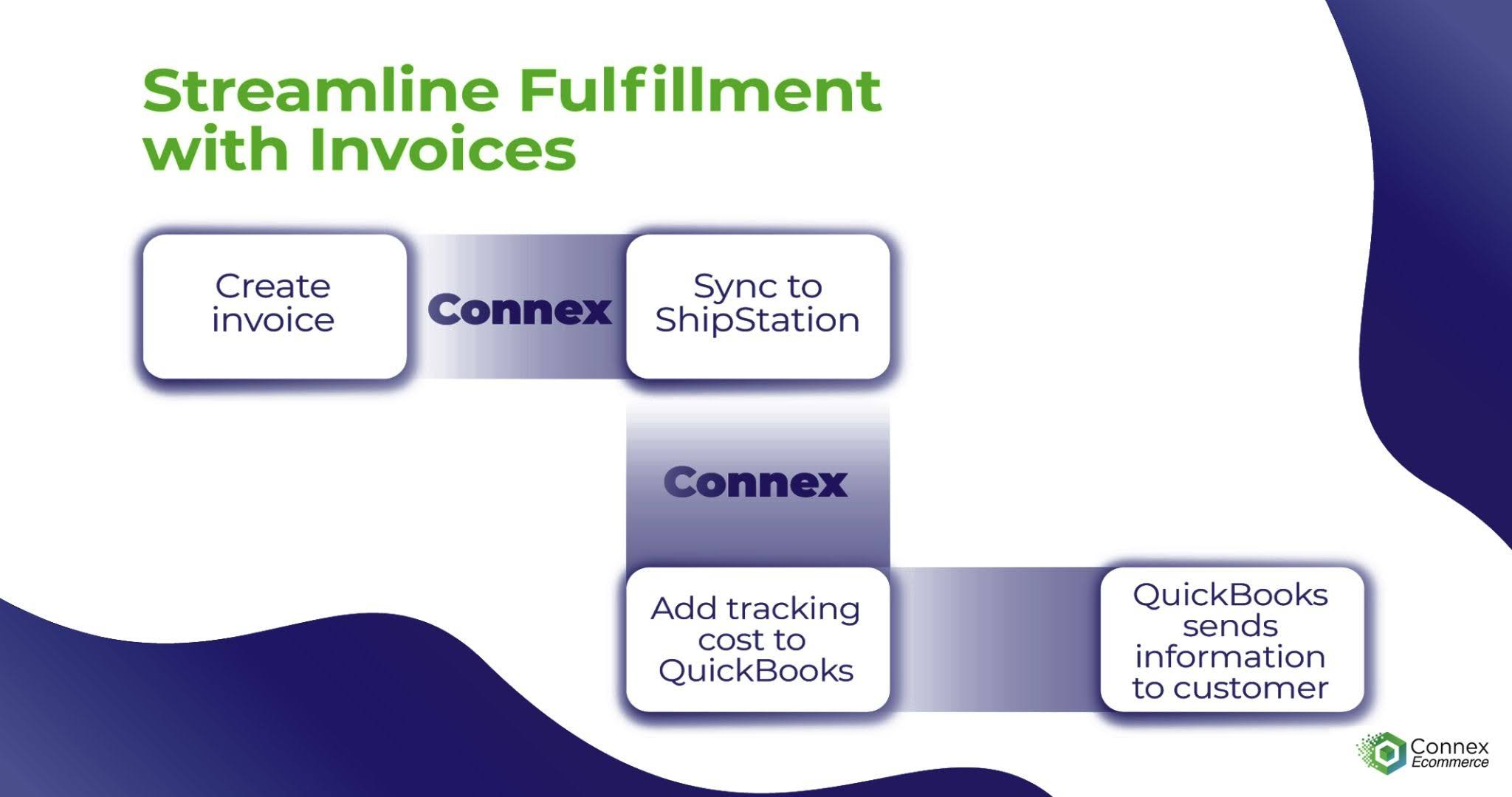
Yes. Connex can update QuickBooks as ShipStation records partial shipments, so shipped quantities, fulfillment status, and tracking remain accurate. Depending on your workflow, Connex can support separate invoices for split shipments or a single invoice once all items have shipped.
How can I move from QuickBooks Enterprise and UPS WorldShip to QuickBooks Online without changing how my warehouse receives and ships orders?
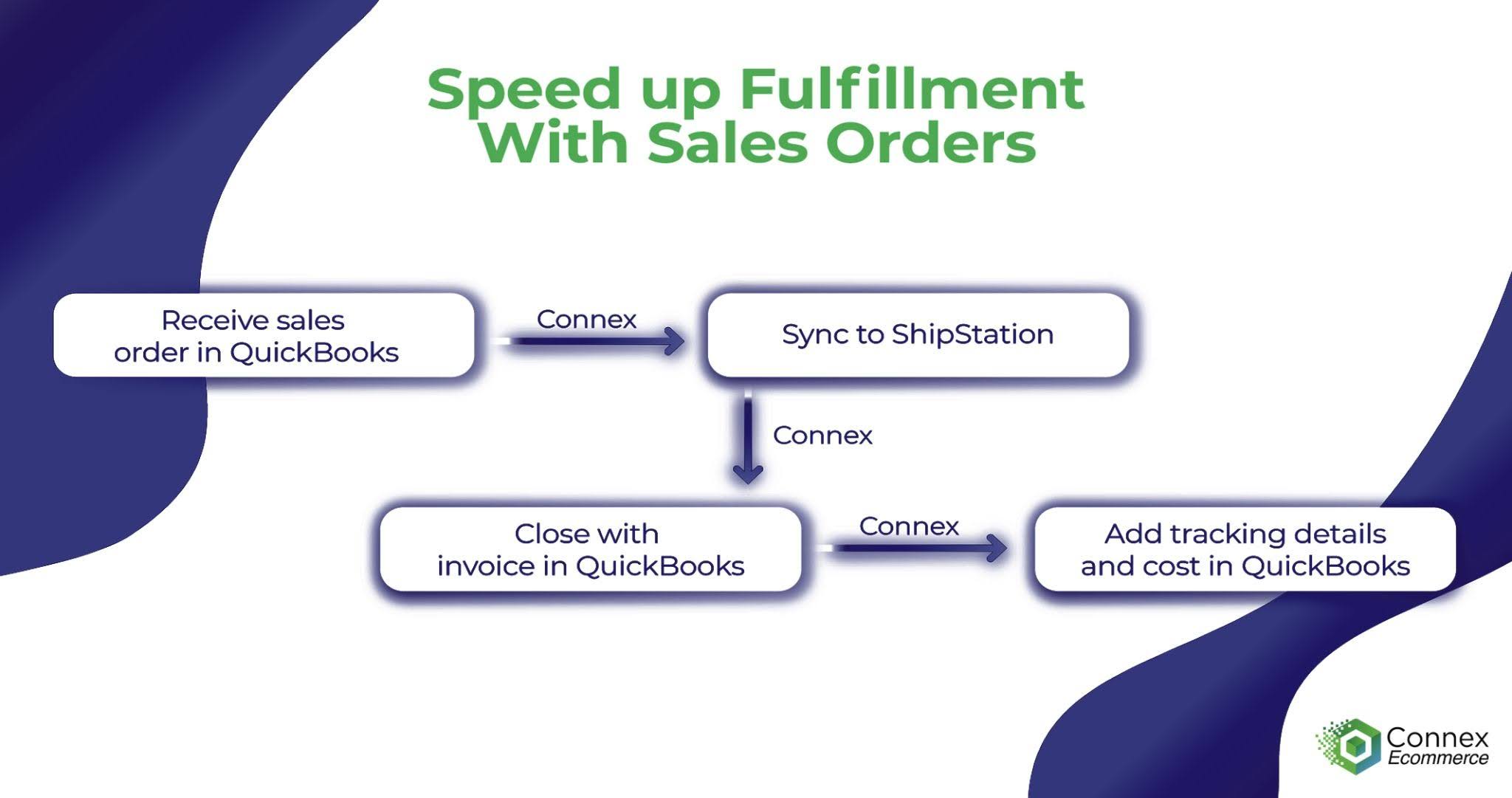
If your UPS WorldShip and QuickBooks workflow is causing problems, you may not need to replace QuickBooks or your entire process. ShipStation can handle shipping while QuickBooks remains your system of record, with Connex acting as the integration layer between them. Connex can send orders from QuickBooks to ShipStation and return shipment and tracking information to QuickBooks, with guided implementation to help configure and test the workflow.
Can I keep my FedEx Ship Manager workflow when migrating from QuickBooks Enterprise to QuickBooks Online?
If you're moving from QuickBooks Enterprise to QuickBooks Online, you can also move shipping to ShipStation while preserving a similar order-to-shipping workflow. Connex can send orders from QuickBooks Online to ShipStation for fulfillment and sync shipment and tracking information back to QuickBooks, helping you modernize both systems without giving up your automated shipping workflow.

Proof

294455355_582128980159890_7423254020284108663_n
Order workflow automation

Fine Lines avoided an ERP migration and saved roughly $60,000 by staying on their existing stack with Connex.

Order workflow automation

Kaley Scott's team saved close to 40 hours a week migrating from ShipStation to ShipHero with Connex handling the sync.

Untitled design (1)-1
Order workflow automation

Loaded Boards saves more than 100 hours a month on fulfillment related accounting work.

ROI

See what currency conversion errors are costing your reported income.

Ready to simplify your ecommerce accounting?

Schedule a free workflow assessment to learn how Connex Ecommerce can automate multi-currency accounting, tax mapping, and QuickBooks Online workflows.

Related Workflows