.svg "Connex Ecommerce Logo-white (1)")
ShipStation, QuickBooks, UPS, and FedEx: Which Ecommerce Shipping Workflow Is Right for You?
The best workflow depends on where orders originate, which system manages shipping, and whether tracking, costs, and fulfillment status need to return to QuickBooks automatically.
What Shipping Workflow Is Best For You?
UPS, FedEx or Connex with ShipStation
| Features | ShipStation with Connex | UPS WorldShip | FedEx Ship Manager |
|---|---|---|---|
| Where Orders Are Created | QuickBooks Online or Enterprise | QuickBooks Enterprise | QuickBooks Enterprise |
| Where shipping labels are created | ShipStation | UPS WorldShip | FedEx Ship Manager |
| Multi-carrier shipping support | Yes | No | No |
| Rules Engine | Yes | No | No |
| Custom workflow configuration or development | Yes | No | No |
| Close Sales Orders with Invoices | Yes | No | No |
| Guided Implementation Included | Yes | No | No |
| QuickBooks Online + Enterprise support | Yes | No | No |
| Split Shipment Support | Yes | No | No |
| Tracking sync back to QuickBooks | Yes | Varies by connector and configuration | Varies by connector and configuration |
| QuickBooks integration availability and cost | Extra Fee | Free | Free |
| Multi-channel order support | Yes | No | |
| Best For | Ship UPS, FedEx and others | Ship UPS only | Ship FedEx only |
Comparison based on publicly available information about typical features in this category at time of publication. Feature sets and pricing for third-party tools may vary.
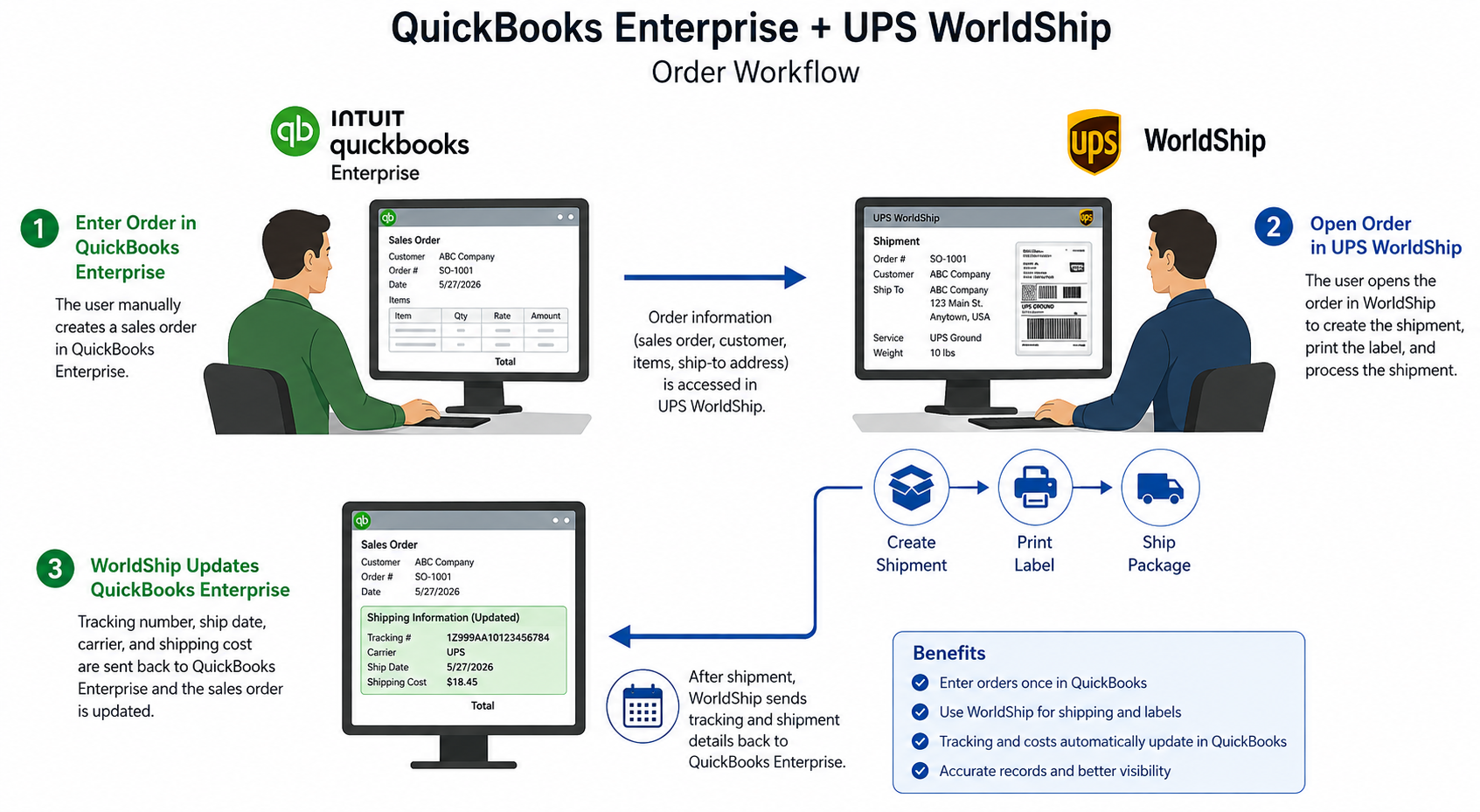
Workflow 1: QuickBooks and UPS WorldShip
Orders originate in QuickBooks, shipping occurs in UPS WorldShip, then tracking and fulfillment data may require manual entry or an integration layer.
Best for
Businesses that primarily ship with UPS and have a stable, UPS-centered workflow.
Limitations to Consider
UPS WorldShip is designed for UPS-centric shipping operations. It can be a practical fit for businesses that use one carrier and have a stable workflow, but it becomes harder to manage when orders come from multiple sales channels, fulfillment requires more than one carrier, or shipping status needs to update QuickBooks automatically. Businesses may need an additional integration layer to reduce manual order export, tracking updates, and exception handling.
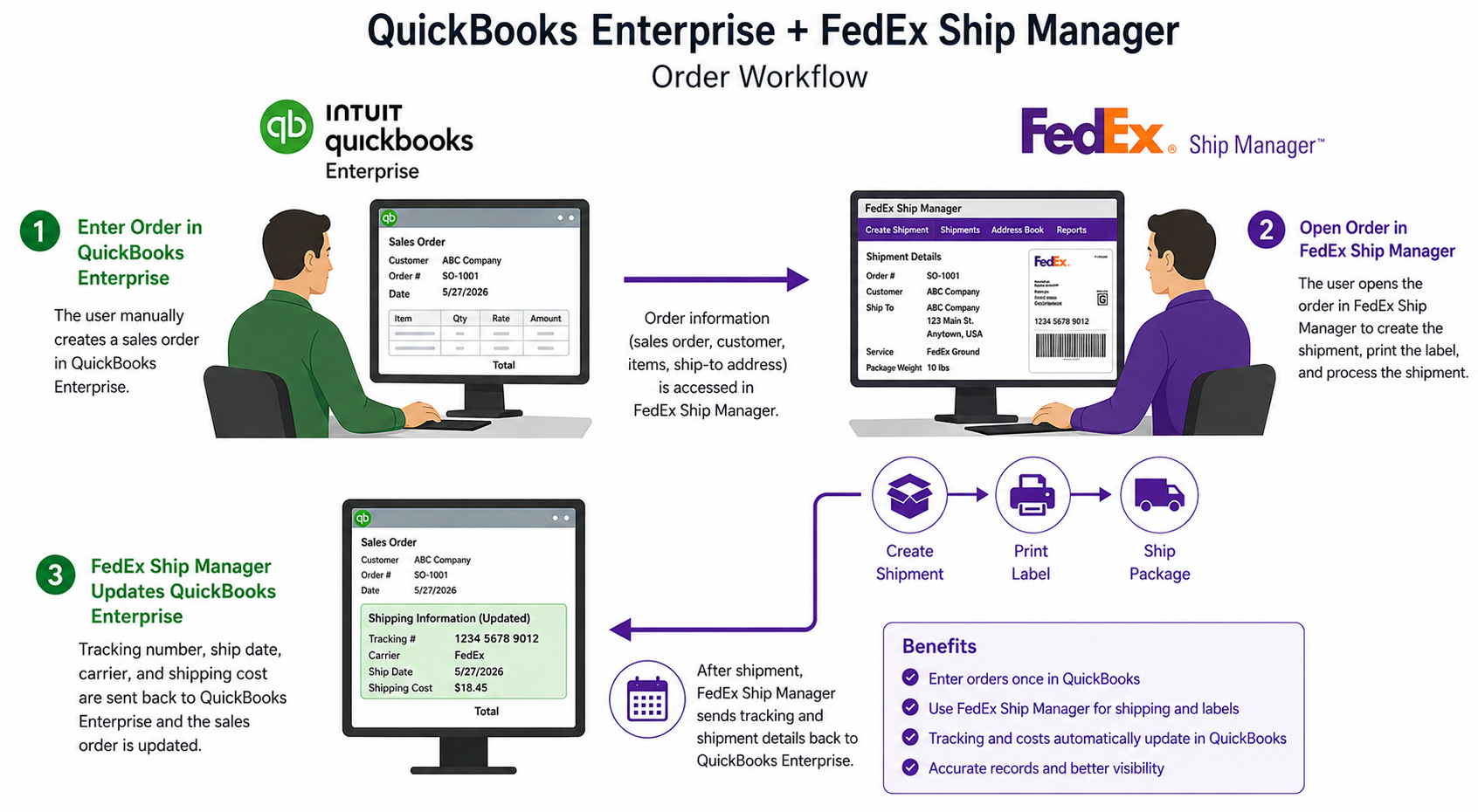
Workflow 2: QuickBooks and FedEx Ship Manager
Best for
Businesses that primarily ship with UPS and have a stable, UPS-centered workflow.
Limitations to Consider
FedEx Ship Manager can work for businesses with a primarily FedEx-based shipping operation. However, companies that add UPS, USPS, marketplaces, wholesale orders, or multiple fulfillment locations often need a more flexible workflow. Without an integration layer, teams can face duplicate data entry, inconsistent order status, and manual tracking updates in QuickBooks.
Workflow 3: QuickBooks, ShipStation, and Connex
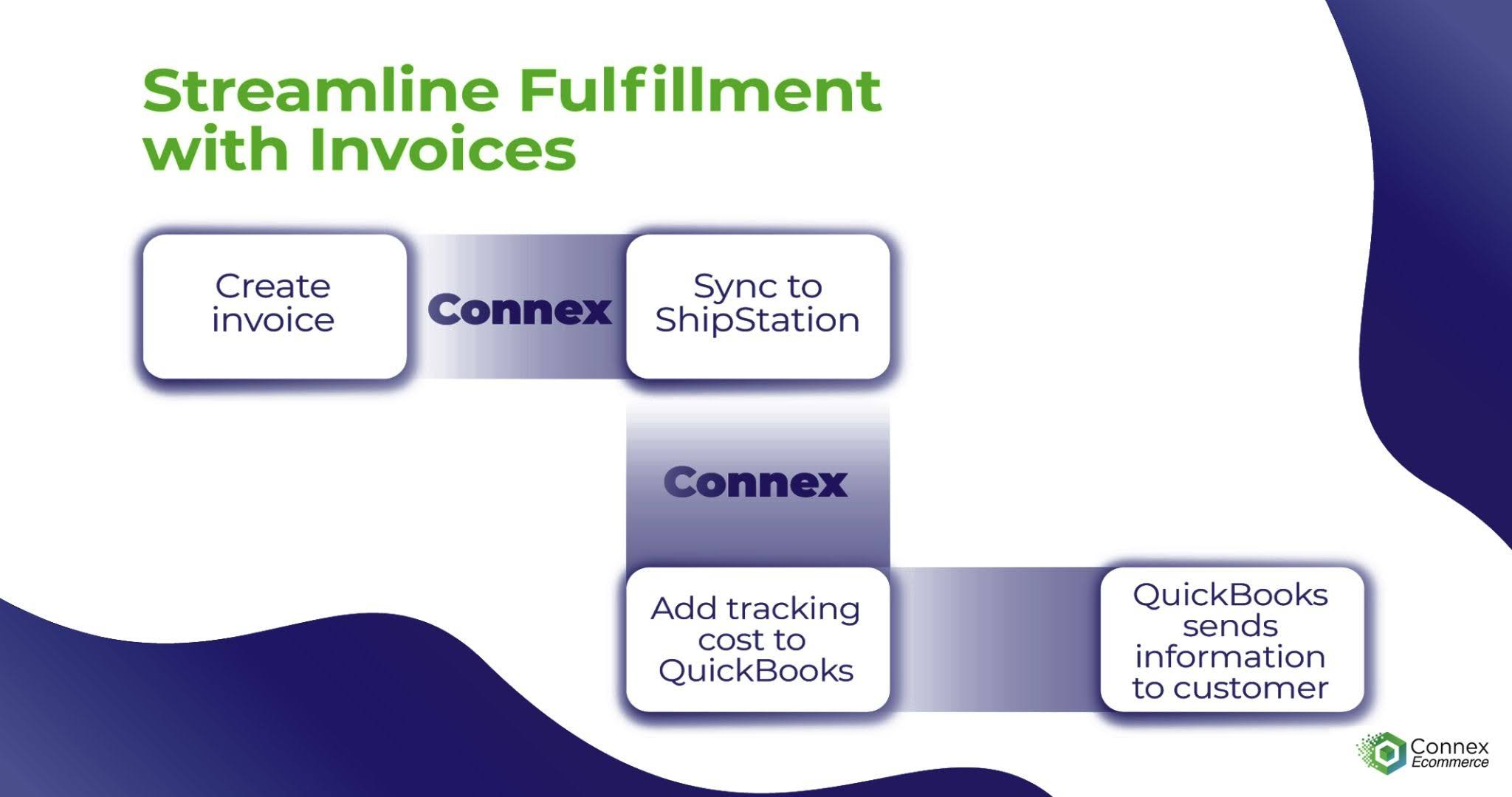
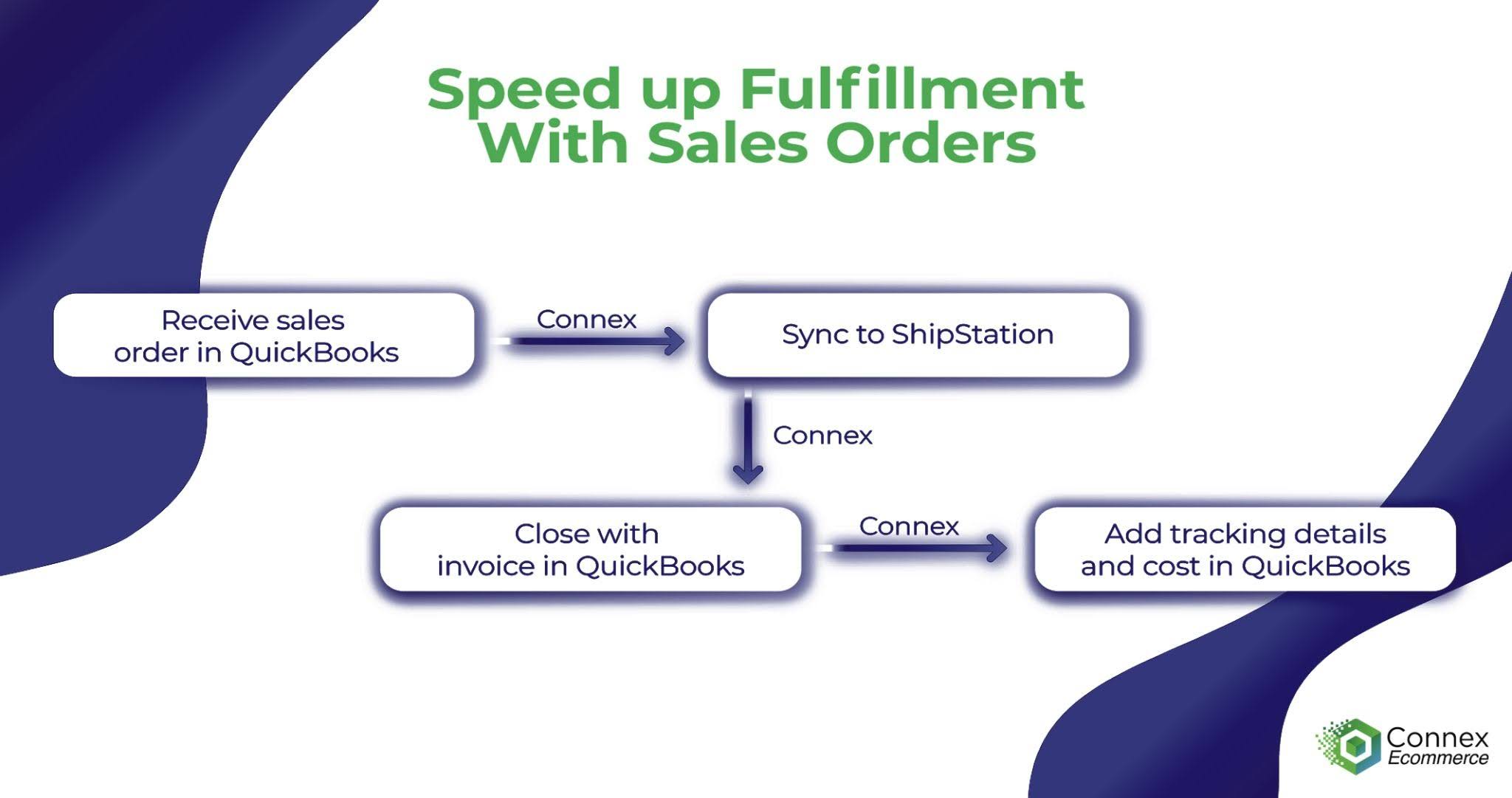
Orders move from QuickBooks, to ShipStation, and back to QuickBooks after orders ship.
Best for
B2B and multi-channel businesses that want QuickBooks to remain the operational system of record while ShipStation manages fulfillment. Ideal for complex workflows where field values, like shipping cost, map differently depending on the vendor.
What Connex adds
Automated two-way sync with configurable rules and field mappings, support for complex order workflows, guided implementation, exception handling with human-readable error visibility, and flexibility during a QuickBooks Online migration or carrier change.
How QuickBooks, ShipStation, UPS, and FedEx Work Together