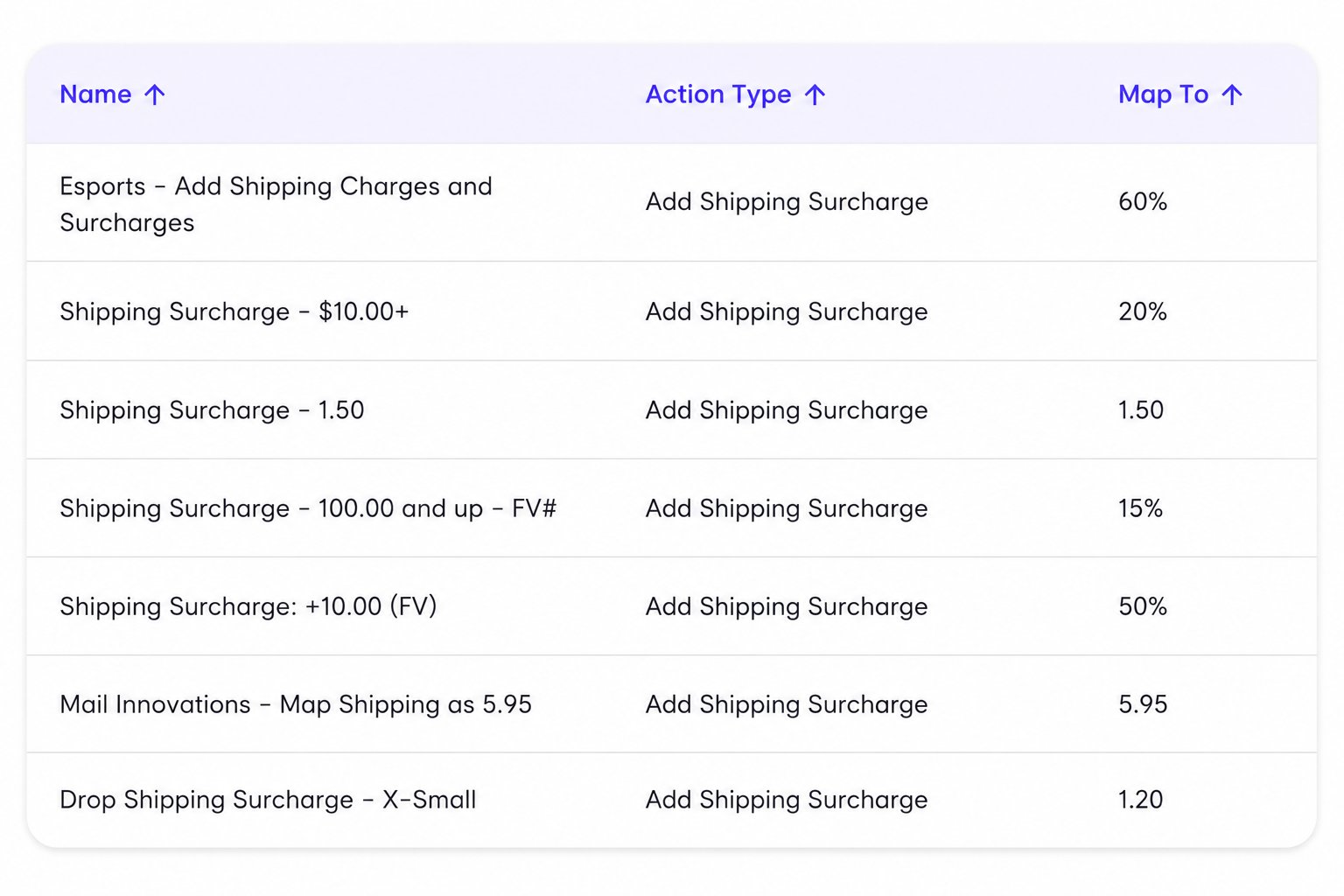
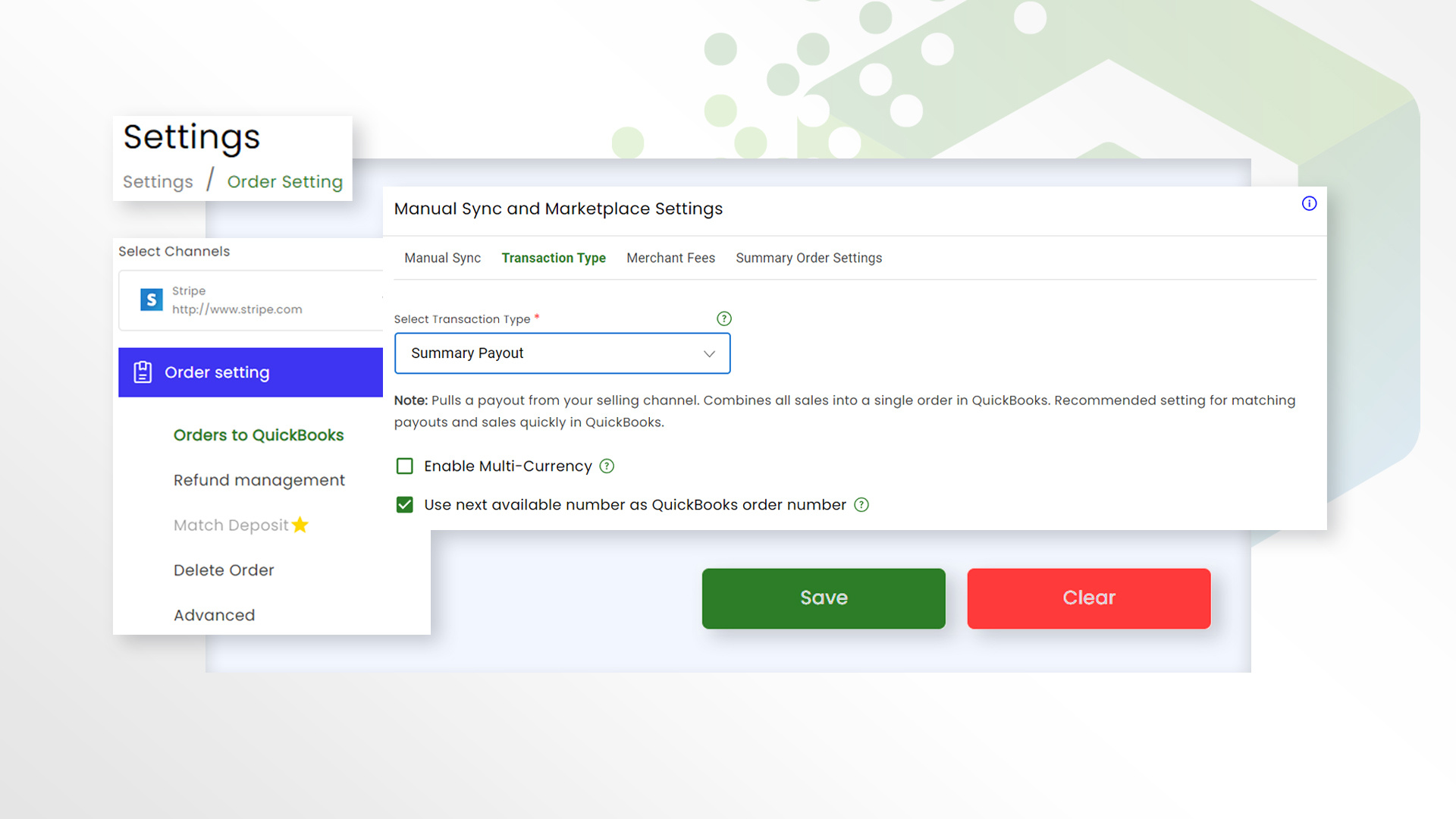
rules rounded

How Connex Works

Connex provides guided onboarding for your SAP S/4HANA integration. An ecommerce integration specialist reviews your existing workflow, helps configure data mappings and business rules, tests your integration, and supports your team through launch.

An ecommerce order rarely moves directly from a selling channel into SAP S/4HANA. It may pass through marketplaces, fulfillment platforms, warehouses, or 3PLs before the transaction is complete. Along the way, inventory changes, fulfillment updates, customer data, and financial information all need to reach the right systems in the right format.

Managing those workflows manually—or relying on rigid, out-of-the-box connectors—can lead to duplicate data, inventory discrepancies, incorrect mappings, and hours spent fixing exceptions.

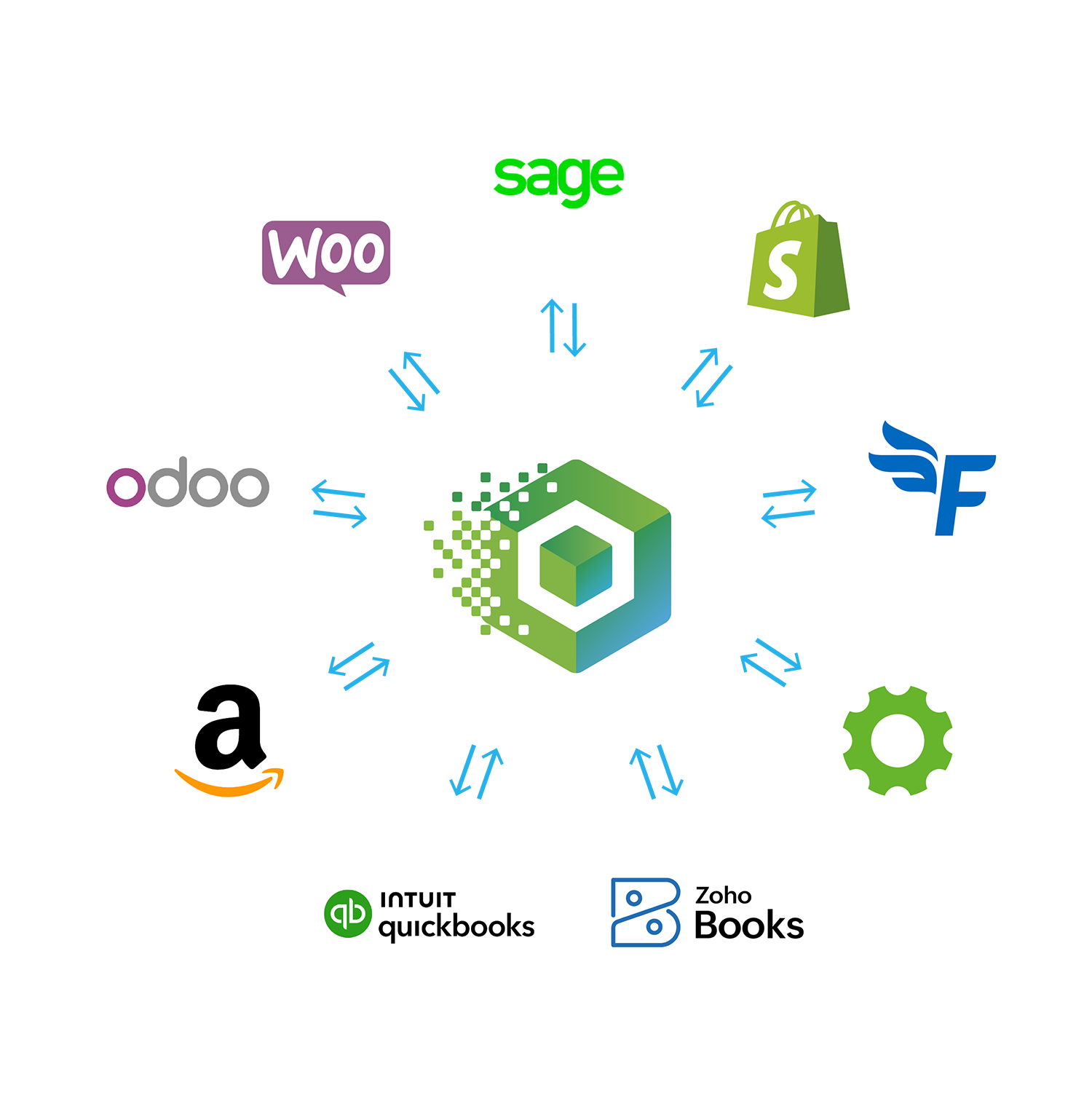
Connex automates the flow of data between your ecommerce and operational systems and SAP S/4HANA, using configurable business rules and mappings to support the way your business already operates.


How Connex Solves It

Connex uses configurable business rules and field mappings to control how orders, customers, inventory, fulfillment updates, and other critical data move between your ecommerce systems and SAP S/4HANA. Data is transformed and routed based on your existing business processes, helping SAP receive the right information in the right format without manual intervention.

This approach is built for businesses managing multiple selling channels, warehouses, 3PLs, or complex order workflows that a basic connector can't support. Instead of relying on manual data entry or expensive custom development, Connex gives your team a configurable integration that can adapt as your ecommerce operations grow and change.

 
connex_hero_homepage_compressed
Fine Lines customer story for Shopify ShipStation and QuickBooks integration
Multi-channel operations

Fine Lines avoided a costly ERP migration by connecting Shopify, ShipStation, and QuickBooks with Connex

Instead of replacing tools their team already knew, Fine Lines used Connex to sync orders and inventory automatically, saving an estimated $60,000 in software and implementation costs.

"We were evaluating an expensive ERP migration to connect Shopify, ShipStation, and QuickBooks, but Connex gave us another option," saving an estimated $60,000 in software and implementation costs.


— Josh Stamper, COO, Fine Lines.

What Data Does Connex Sync Between SAP S/4HANA and Your Ecommerce Systems?

Connex automates the flow of orders, customers, products, inventory, and fulfillment data between SAP S/4HANA and your ecommerce platforms, using configurable business rules and field mappings to keep your systems aligned without manual data entry.

Data Type SYNC DIRECTION Frequency
Products Two Way Real Time
Orders Two Way Real Time
Customers Two Way Real Time
Refunds Two Way Scheduled
Fulfillment Two Way Scheduled
Taxes Two Way Scheduled

Complex Integrations With ShipStation and QuickBooks

ShipStation + QuickBooks Integration

QuickBooks Shipping Integrations


    rules rounded

    Troubleshooting SAP S/4HANA Integration Issues

    Incorrect field mappings, duplicate records, and failed data transfers can create costly errors and hours of manual cleanup.

    Connex helps prevent these issues with configurable field mapping, business rules, duplicate controls, and clear sync-error details—keeping your ecommerce systems and SAP S/4HANA aligned as data moves across your workflow.


    See What Manual Ecommerce Operations Are Costing You

    Estimate the time and labor your business could save by automating data between your ecommerce systems and SAP S/4HANA.

    Why Basic SAP S/4HANA Connectors Fall Short for Complex Ecommerce Workflows

    Capability Capability Basic Connector Connex
    No onboarding Set Up Approach Self-Service Guided implementation with ecommerce specialists
    Mostly one-way data movement Data Movement Mostly one-way data movement Two-way order, inventory & fulfillment workflows
    Technical Support Technical Support Generic Troubleshooting Support for your specific fulfillment and accounting workflow
    Rigid field mappings Workflow flexibility Rigid field mappings Conditional rules & custom field mapping
    Partial Shipments Partial Shipments May require manual clean-up Configured to update QuickBooks as fulfillment occurs
    Onboarding Onboarding Documentation or DIY setup Workflow assessment, configuration, testing, and launch support
    Partial Payments Partial Payments No Yes
    Reconcile Payouts Reconcile Payouts No Yes
    Best For Best For Built for simple A → B syncing Built for complex, multi-system workflows

    Frequently Asked Questions

    How do I integrate SAP S/4HANA with my ecommerce platform?
    You can integrate SAP S/4HANA with your ecommerce platform using Connex Ecommerce. Connex automates data transfers between your selling channels and ERP, helping eliminate manual data entry, reduce errors, and keep orders, inventory, and customer information aligned. Guided onboarding helps configure the integration around your business workflows.
    What data can Connex sync between SAP S/4HANA and ecommerce platforms?
    Connex is designed to sync essential ecommerce data, including orders, customers, products, inventory, and fulfillment updates, between SAP S/4HANA and connected systems. Configurable field mappings and business rules help ensure information reaches the correct destination in the required format.
    Can SAP S/4HANA integrate with Shopify, Amazon, and other ecommerce platforms?
    Connex helps businesses connect ecommerce platforms such as Shopify and Amazon with SAP S/4HANA. This allows companies selling across multiple channels to automate data movement, reduce duplicate entry, and manage complex workflows through a centralized ERP integration.
    How can I automate order processing between ecommerce platforms and SAP S/4HANA?
    Connex automates order processing by transferring ecommerce order data into SAP S/4HANA using configurable business rules and field mappings. This reduces manual processing, helps prevent duplicate records, and supports more efficient order management across multiple selling channels.
    Can Connex handle complex SAP S/4HANA integration workflows?
    Yes. Connex is designed for businesses whose integration requirements extend beyond basic data synchronization. Its configurable Rules Engine supports custom field mappings, data routing, and business-specific workflows, helping companies manage complex ecommerce operations without relying entirely on custom development.
    How does Connex help prevent data synchronization errors in SAP S/4HANA?
    Connex helps reduce synchronization errors through configurable field mappings, business rules, duplicate controls, and sync-error visibility. These capabilities help businesses identify integration issues, minimize manual cleanup, and maintain more consistent data across their ecommerce and ERP systems.
    Can I connect multiple ecommerce channels to SAP S/4HANA?
    Connex is designed to support businesses operating across multiple ecommerce channels. By connecting selling platforms and operational systems with SAP S/4HANA, businesses can reduce disconnected workflows, improve data consistency, and manage growing order volumes more efficiently.
    Do I need custom development to integrate SAP S/4HANA with my ecommerce systems?
    Not necessarily. Connex provides configurable business rules and field mappings that can support many complex integration requirements without building a fully custom solution. An integration specialist reviews your workflow and helps determine the appropriate configuration for your systems.
    How long does it take to implement an SAP S/4HANA ecommerce integration?
    Implementation timelines depend on your existing systems, data requirements, workflow complexity, and customization needs. Connex provides guided onboarding, including workflow assessment, configuration, testing, and launch support, to help businesses implement an integration suited to their operations.
    What are the benefits of integrating SAP S/4HANA with ecommerce platforms?
    Integrating SAP S/4HANA with your ecommerce platforms can reduce manual data entry, improve inventory visibility, minimize order-processing errors, and keep business information consistent across systems. Connex helps automate these workflows so teams can spend less time reconciling data and more time growing their business.

    Partial Shipments for Wholesale Orders

    When a wholesale order ships in pieces, accounting needs to reflect exactly what went out and what's still owed. Connex updates QuickBooks as each partial shipment happens, so nothing gets invoiced early and nothing gets missed once the backorder finally clears.
    FREQUENTLY ASKED QUESTION
     
    What happens in QuickBooks when only part of an order ships?
     
    When ShipStation records a partial shipment, Connex updates the linked QuickBooks sales order or invoice with the shipped quantities, fulfillment status, and tracking details. The remaining items stay open until they ship. Connex can create a separate invoice for each split shipment or create one single invoice for all shipped items. .
    FREQUENTLY ASKED QUESTION
     
    Can Connex route orders to different warehouses automatically?
     
    Yes. Routing rules are configured based on product, location, or other criteria you define, and orders are sent to the correct warehouse or 3PL without manual review.

    Order Routing Across Warehouses and 3PLs

    Sellers running more than one warehouse, or splitting fulfillment across a 3PL, need orders to land in the right place without someone checking each one by hand. Connex applies routing rules based on the criteria you set, so the right facility gets the right order the first time.


    Fulfillment Platform Migration

    Moving fulfillment systems is one of the riskiest points for accounting to fall out of sync. Connex is built to carry that transition, mapping the new platform's data into QuickBooks the same way the old one did, so the switch doesn't cost you accuracy.

     
    FREQUENTLY ASKED QUESTION
     
    Will switching fulfillment platforms break my QuickBooks sync?
     
    Connex helps preserve your accounting workflow during a fulfillment platform migration, reducing disruption while the new system is implemented.
    FREQUENTLY ASKED QUESTION
     
    Does Connex support drop shipped orders?
     
    Yes. Drop ship orders sync the same way as warehouse fulfilled orders, with status updating once the supplier ships.

    Drop Ship Orders

    Some orders never touch your own warehouse. Connex handles drop ship orders the same way it handles standard fulfillment, updating status and tracking back to QuickBooks once the supplier confirms the shipment.


    ShipStation and QuickBooks Workflow

    ShipStation is one of the most common fulfillment tools Connex automates alongside QuickBooks. Connex syncs the sales order, invoice, or estimate your workflow needs from QuickBooks to ShipStation for fulfillment, and updates that same document back in QuickBooks automatically once the order ships.

     
    FREQUENTLY ASKED QUESTION
     
    How do I sync ShipStation with QuickBooks?
     
    Connex syncs the document your fulfillment workflow requires, whether that's a sales order, invoice, or estimate, from QuickBooks to ShipStation, and updates that document in QuickBooks automatically once the order ships.

    Proof

    294455355_582128980159890_7423254020284108663_n
    Order workflow automation

    Fine Lines avoided an ERP migration and saved roughly $60,000 by staying on their existing stack with Connex.

    Order workflow automation

    Kaley Scott's team saved close to 40 hours a week migrating from ShipStation to ShipHero with Connex handling the sync.

    Untitled design (1)-1
    Order workflow automation

    Loaded Boards saves more than 100 hours a month on fulfillment related accounting work.

    ROI

     
    Calculate the hours your team is losing to manual fulfillment fixes. 
     

    Stop Wasting Time Fixing Broken Workflows

     
    Calculate the hours your team is losing to manual fulfillment fixes. 
     

    Find a story that matches your workflow

    Untitled design (3)-1
    Order workflow automation

    How DeepDrip Eliminated Manual Order Processing and Saved 30+ Hours Per Week

    DeepDrip scaled to 7+ sales channels—but their systems couldn’t keep up. Connex eliminated manual order processing and connected QuickBooks with ShipHero into one seamless workflow.

    View case study
    Untitled design (4)-2
    Order workflow automation

    How Bridal Outlet Automated a Complex WooCommerce + QuickBooks Workflow and Saved 20+ Hours Per Week

    The Bridal Outlet is an online retailer specializing in discounted wedding dresses and bridal apparel. By sourcing overstock, samples, and clearance inventory, they provide brides access to high-quality designer gowns at a fraction of traditional retail pricing.

    View case study
    SSTubes_Logo_TM_dark
    Order workflow automation

    How SS Tubes Automated Order Sync and Inventory Workflows to Eliminate Errors and Scale Operations

    As SS Tubes scaled to over 10,000 SKUs, disconnected systems created delays, errors, and manual work. Connex automated their workflows across Shopify, ShipStation, and QuickBooks—turning a fragmented process into a scalable operation.

    View case study

    soap and paper-1
    Multi-channel operations

    Soap brand improved inventory control and scaled sales

    Connex helped automate inventory workflows across systems to reduce manual work and support growth.

    View case study

    gentent-1
    Fix broken workflows

    Manufacturer reduced reconciliation work and improved accuracy

    Connex automated sales and accounting workflows so the team could scale without spreadsheet-driven cleanup.

    View case study
    Untitled-1_0001_plus-plus-logo-1
    Fix broken workflows

    Plus Plus automated 15,000+ orders and improved team coordination

    Connex reduced manual reconciliation and connected warehouse, sales, and accounting workflows in real time.

    View case study

    Related Workflows