hubspot1

Your sales team works in HubSpot, while your accounting and operations teams work in QuickBooks Enterprise. Without a reliable connection between the two, customer information, sales orders, and transaction data often have to be entered twice—creating extra work, inconsistent records, and gaps between what sales and accounting can see.

Connex connects HubSpot and QuickBooks Enterprise so customer and sales data can move between your CRM and accounting workflows automatically. Give sales teams access to the QuickBooks information they need in HubSpot, reduce duplicate data entry, and keep both teams working in the systems built for them.


How Connex Solves It


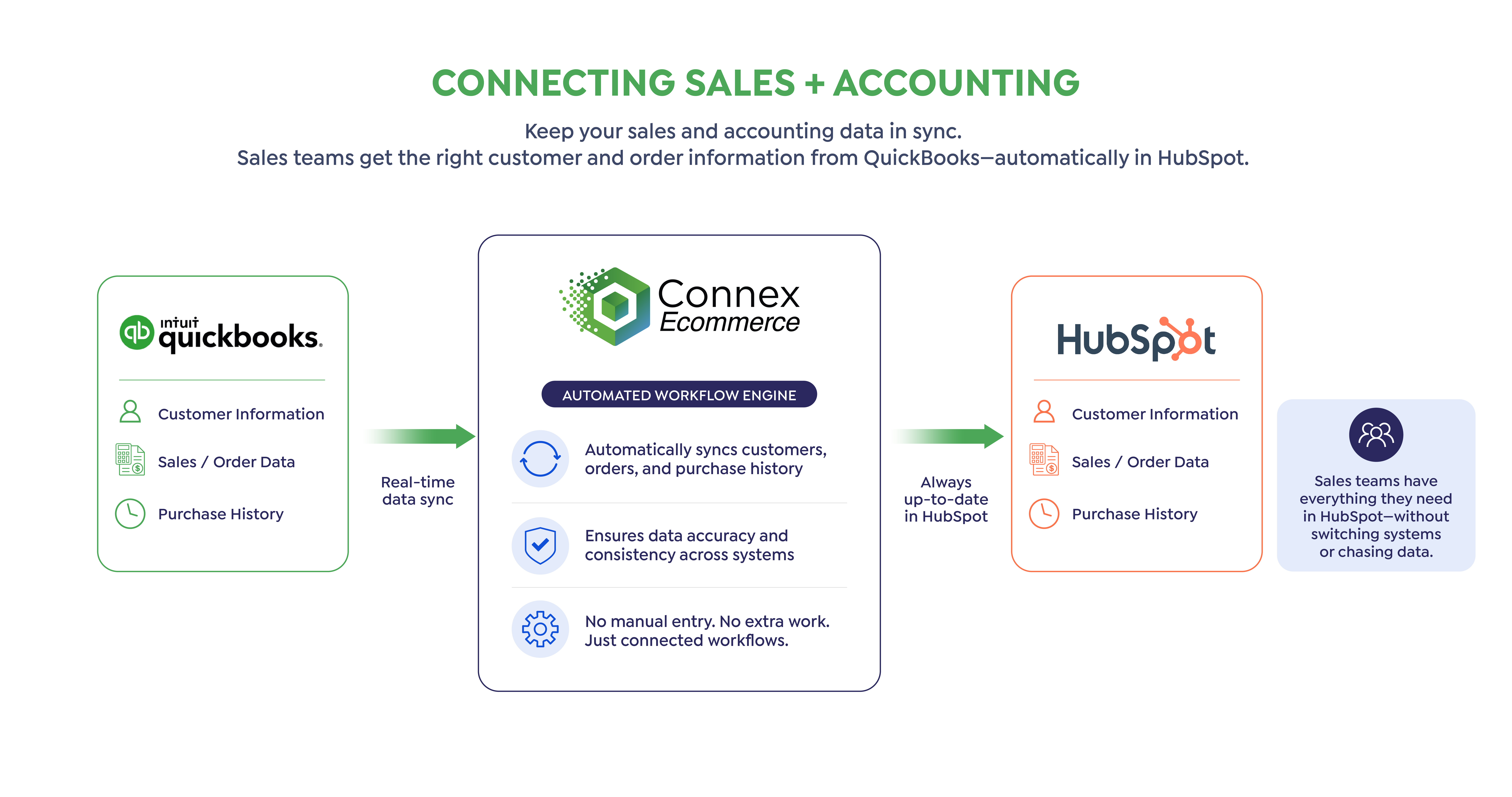
HubSpot and QuickBooks Enterprise are built for different parts of your business. HubSpot manages customer relationships, deals, sales activity, and marketing. QuickBooks Enterprise manages transactions, accounting, inventory, and financial records.

Connex connects those workflows.

Sync QuickBooks customer and sales information into HubSpot so your sales team can see what customers actually purchased without constantly switching systems or asking accounting for information.

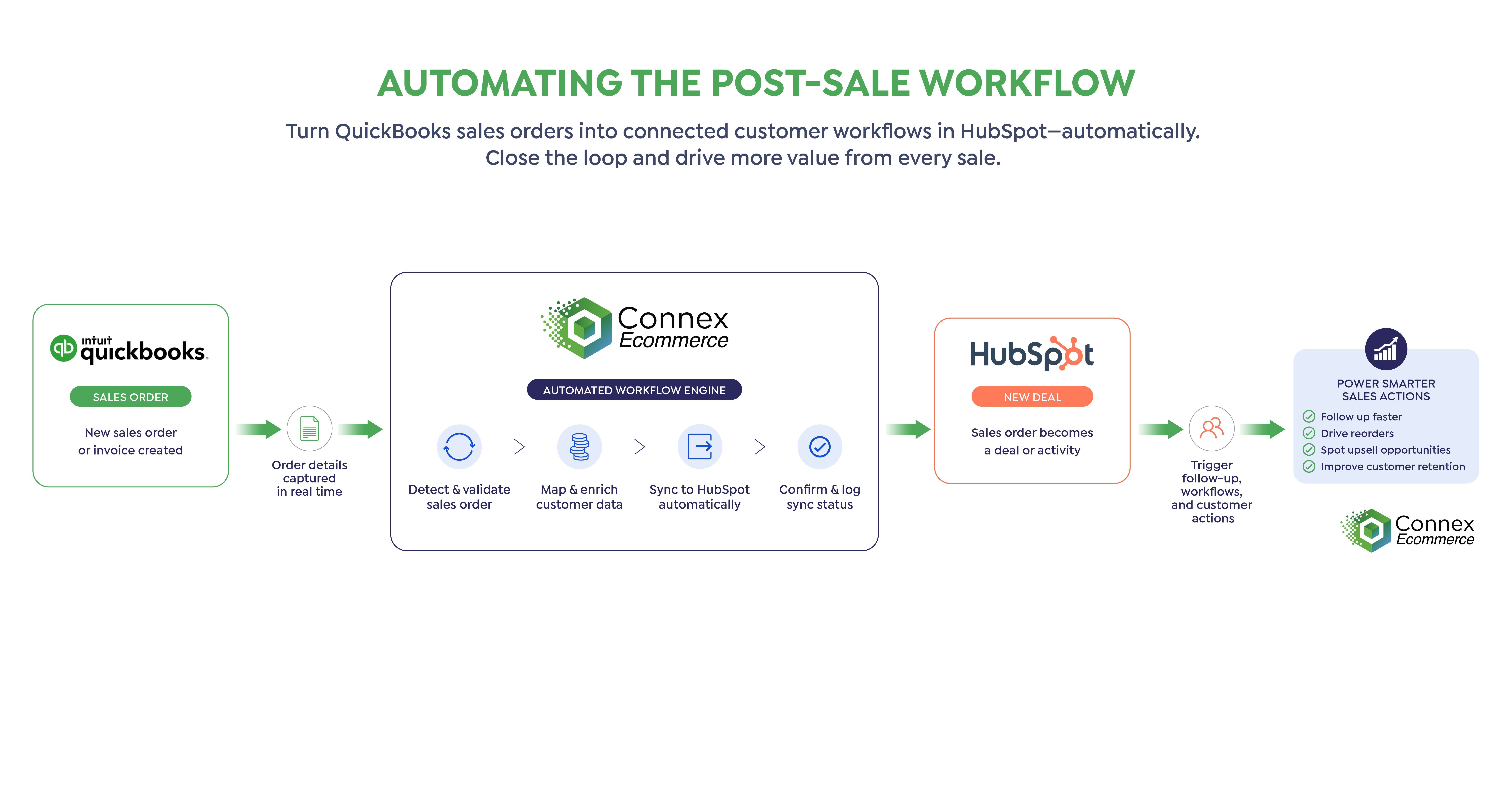
For more advanced workflows, QuickBooks Enterprise sales orders can become part of your HubSpot sales process—helping eliminate duplicate entry and giving sales and operations teams access to the information they need.

Instead of forcing one system to do everything, Connex lets each team continue working in the software built for them.

hubspot2

Turn QuickBooks Enterprise Sales Into HubSpot Opportunities

A sale entered in QuickBooks Enterprise shouldn't have to be manually recreated in HubSpot.

Connex can move sales information from QuickBooks Enterprise into HubSpot, helping your sales team build deals and follow-up workflows around actual customer purchasing activity.

That means less copying and pasting, fewer discrepancies between systems, and better visibility into what happens after a customer buys.

FREQUENTLY ASKED QUESTION
 

Can Connex connect HubSpot with QuickBooks Enterprise?

Yes. Connex supports HubSpot and QuickBooks Enterprise and can automate workflows that move customer and sales information between the systems.

FREQUENTLY ASKED QUESTION
 

Can sales reps see QuickBooks order history in HubSpot?

Connex can sync QuickBooks sales data into HubSpot so sales teams can access customer purchasing information alongside CRM activity.


Turn QuickBooks Enterprise Sales Into HubSpot Opportunities

A sale entered in QuickBooks Enterprise shouldn't have to be manually recreated in HubSpot.

Connex can move sales information from QuickBooks Enterprise into HubSpot, helping your sales team build deals and follow-up workflows around actual customer purchasing activity.

That means less copying and pasting, fewer discrepancies between systems, and better visibility into what happens after a customer buys.


Give Sales Teams QuickBooks Purchase History in HubSpot

Sales teams lose valuable context when customer interactions live in HubSpot but purchase history stays in QuickBooks Enterprise. Connex brings QuickBooks customer and sales information into HubSpot, giving reps visibility into what customers actually purchased without switching systems or relying on accounting to look it up. Keep sales activity and purchase history connected in one CRM view so your team can follow up with better context, identify new opportunities, and spend less time chasing information across systems.


FREQUENTLY ASKED QUESTION
 

Do salespeople need access to QuickBooks Enterprise?

Not necessarily. One of the advantages of connecting the systems is giving sales teams relevant QuickBooks customer and sales information inside HubSpot while accounting and operations continue working in QuickBooks Enterprise.

 
FREQUENTLY ASKED QUESTION
 

Can Connex support custom HubSpot and QuickBooks Enterprise workflows?

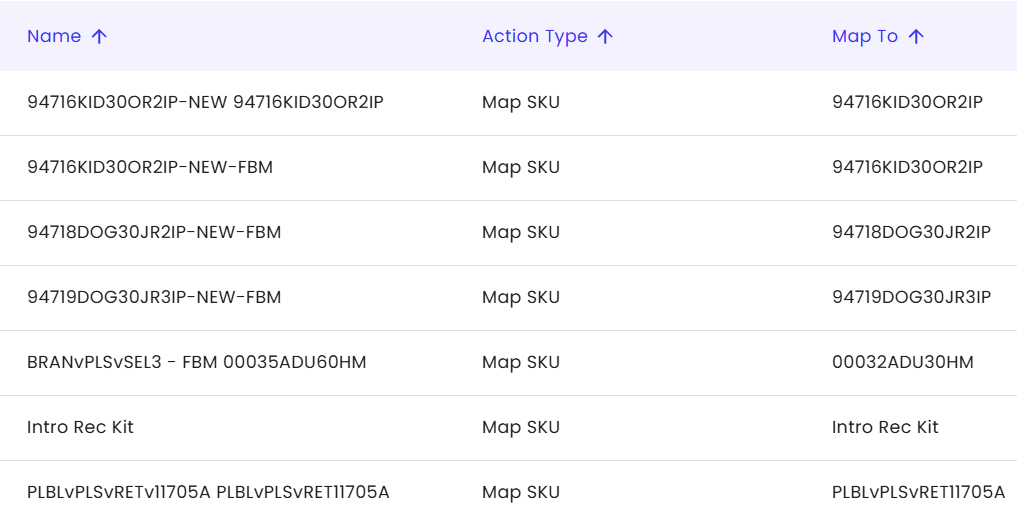
Yes. Connex is designed for businesses whose workflows don't fit a basic one-size-fits-all connector. We can help map how information should move between your systems based on your actual sales and accounting processes.


Automate What Happens After the Sale

Once a customer purchases, that activity can create opportunities for follow-up, renewals, reorders, upsells, or other sales processes.

By bringing QuickBooks Enterprise transaction data into HubSpot, Connex helps you build workflows around what customers actually buy—not just what happened before the sale.

For example:

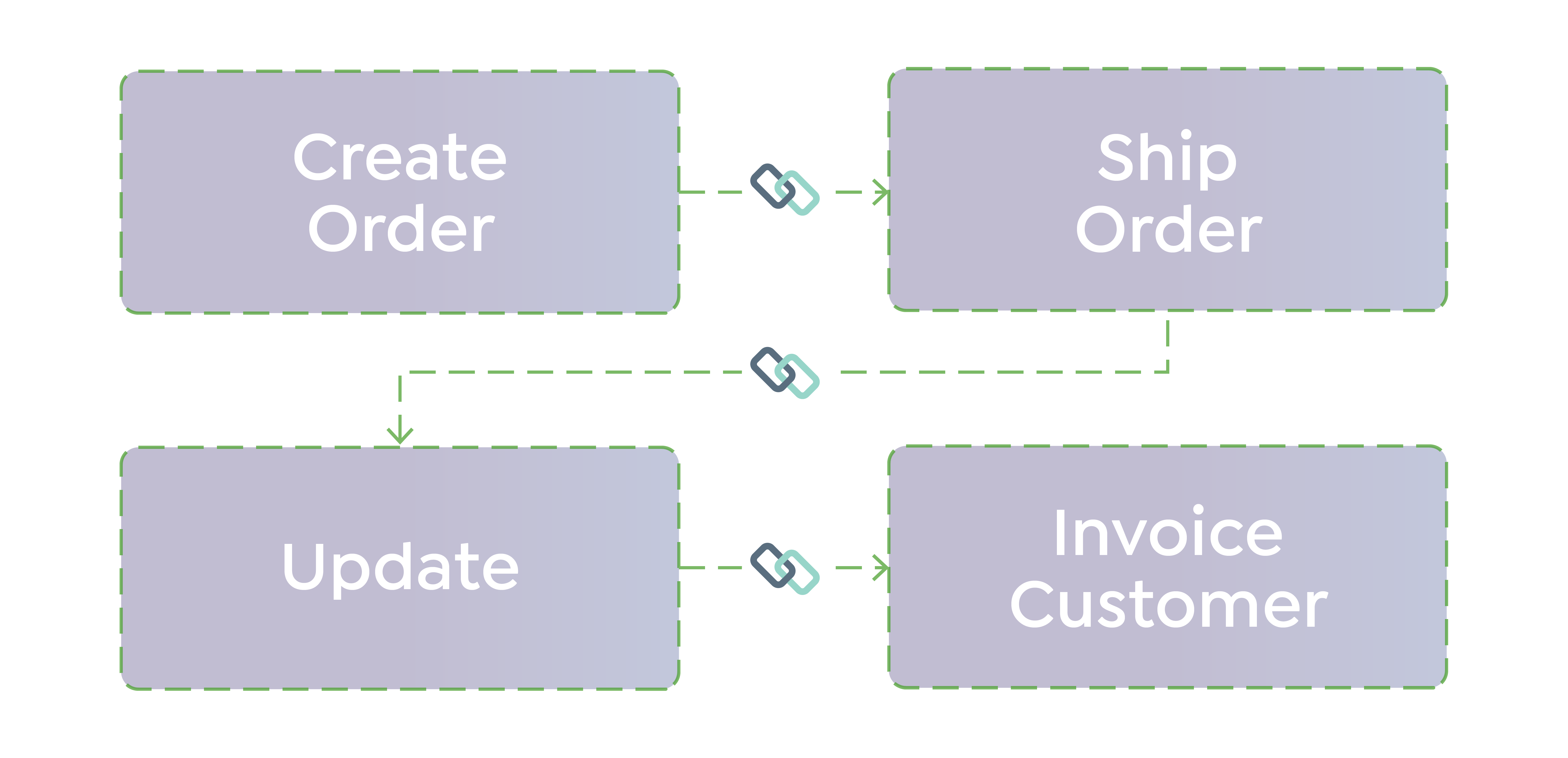
QuickBooks Enterprise Sales Order → HubSpot Deal → HubSpot Quote → Customer Payment → Paid Invoice

Instead of relying on employees to move information between sales and accounting, your systems can support one connected workflow.

Keep Sales and Accounting Connected

HubSpot tells your sales team who the customer is and how your company has interacted with them.

QuickBooks Enterprise tells you what they actually purchased.

Connex helps connect the two, giving your team a more complete view of the customer without duplicate data entry or disconnected spreadsheets.

FREQUENTLY ASKED QUESTION
 
What kind of support and onboarding do you offer?
 
We offer a 3 hour onboarding package to assist with pairing, set up and testing. We provide on going phone and email support. Most tickets are responded within a 4 - 6 hour timeframe during business hours.

Proof

294455355_582128980159890_7423254020284108663_n
Order workflow automation

Fine Lines avoided an ERP migration and saved roughly $60,000 by staying on their existing stack with Connex.

Order workflow automation

Kaley Scott's team saved close to 40 hours a week migrating from ShipStation to ShipHero with Connex handling the sync.

Untitled design (1)-1
Order workflow automation

Loaded Boards saves more than 100 hours a month on fulfillment related accounting work.

ROI

Calculate the hours your team is losing to manual fulfillment fixes. 

Stop Copying Data Between HubSpot and QuickBooks

When HubSpot and QuickBooks Enterprise are disconnected, teams waste time switching systems and entering the same data twice. Connex automates the flow of customer and sales information between them, keeping sales and accounting connected without changing the tools they already use.

Find a story that matches your workflow

vast-logo-360_1726089191__53925.original
Complex Workflows

How Vast Video Games Automated Complex BigCommerce, QuickBooks & Pre-Order Workflows with Connex

Vast Video Games sells Nintendo video games and accessories across 10 retail and wholesale channels, requiring complex pre-order workflows, inventory synchronization, shipping rules, and 140+ custom mappings across BigCommerce, QuickBooks Enterprise, and ShipStation.

View case study
Untitled design (4)-2
Order workflow automation

How Bridal Outlet Automated a Complex WooCommerce + QuickBooks Workflow and Saved 20+ Hours Per Week

The Bridal Outlet is an online retailer specializing in discounted wedding dresses and bridal apparel. By sourcing overstock, samples, and clearance inventory, they provide brides access to high-quality designer gowns at a fraction of traditional retail pricing.

View case study
SSTubes_Logo_TM_dark
Order workflow automation

How SS Tubes Automated Order Sync and Inventory Workflows to Eliminate Errors and Scale Operations

As SS Tubes scaled to over 10,000 SKUs, disconnected systems created delays, errors, and manual work. Connex automated their workflows across Shopify, ShipStation, and QuickBooks—turning a fragmented process into a scalable operation.

View case study

soap and paper-1
Multi-channel operations

Soap brand improved inventory control and scaled sales

Connex helped automate inventory workflows across systems to reduce manual work and support growth.

View case study

gentent-1
Fix broken workflows

Manufacturer reduced reconciliation work and improved accuracy

Connex automated sales and accounting workflows so the team could scale without spreadsheet-driven cleanup.

View case study
Untitled-1_0001_plus-plus-logo-1
Fix broken workflows

Plus Plus automated 15,000+ orders and improved team coordination

Connex reduced manual reconciliation and connected warehouse, sales, and accounting workflows in real time.

View case study

Why Competitors Fail

Basic Connector Basic Connector Connex
Built for complex, multi-system workflows Built for simple A → B syncing Built for complex, multi-system workflows
Mostly one-way data movement Mostly one-way data movement Two-way order, inventory & fulfillment workflows
Rigid field mappings Rigid field mappings Conditional rules & custom field mapping
Little accounting logic Limited accounting logic Accounting, tax, payment & reconciliation logic
No onboarding No onboarding Guided implementation
Generic support DIY setup and troubleshooting Guided implementation with ecommerce specialists
Feature name Break down on exceptions Automates exceptions and unique business rules

Related Workflows